AI tools for biomedical research

Build biomedical AI workflows visually.

Find biomedical data, extract structured information, and evaluate and improve prompts in one workspace. Connect steps on the canvas, or describe your task to the Agent.

Browser workspace · Windows · macOS
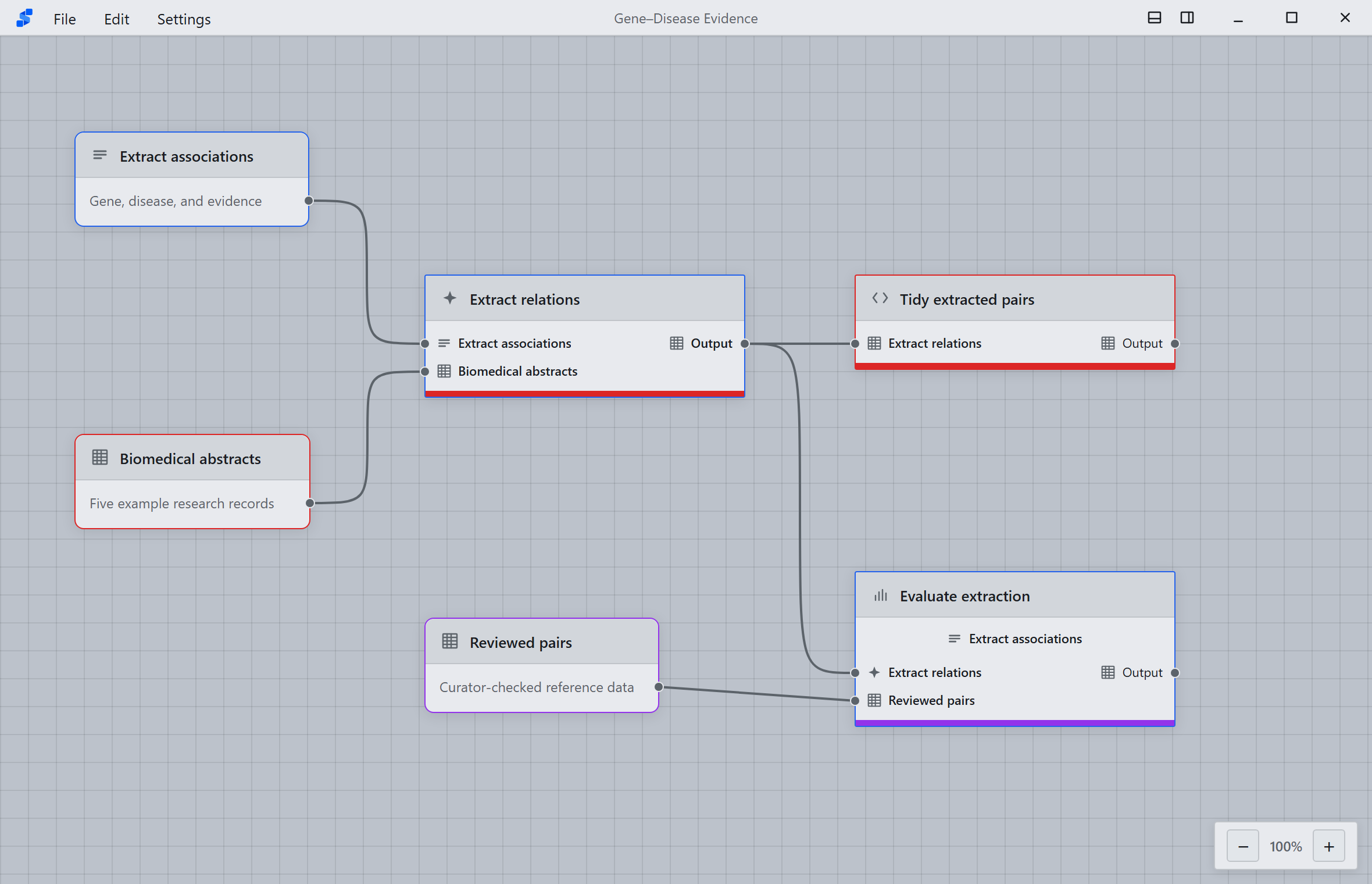
AnnoBio workspace showing biomedical abstracts connected to an extraction prompt, Generate, Process, and evaluation against reviewed reference pairs
Reproducible workflow design Connect research data, extraction, processing, and evaluation in one visible workflow.
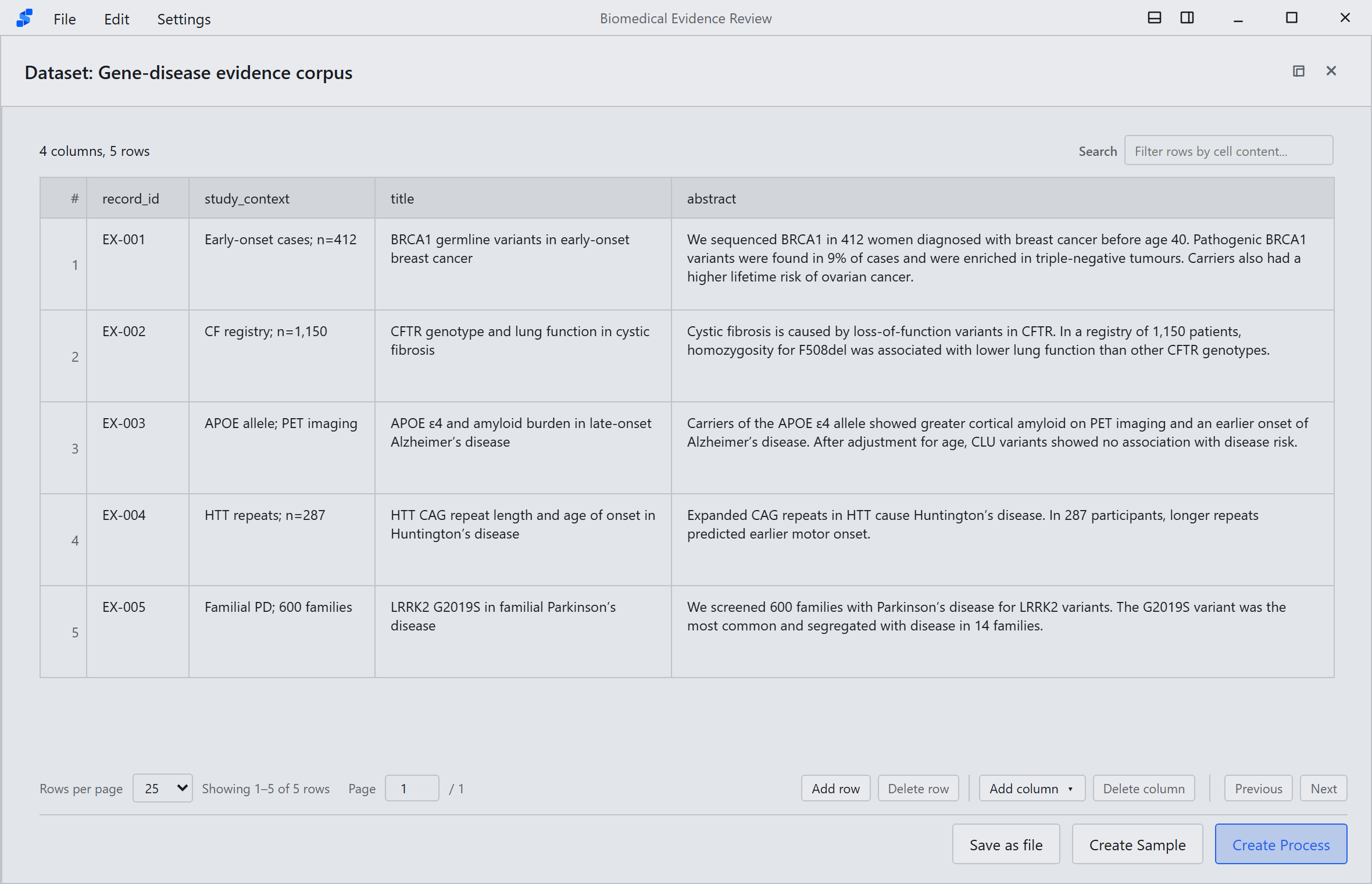
AnnoBio Dataset window showing stable paper identifiers, titles, and abstract text
Research data with provenance Inspect records, identifiers, and source content before any model run.
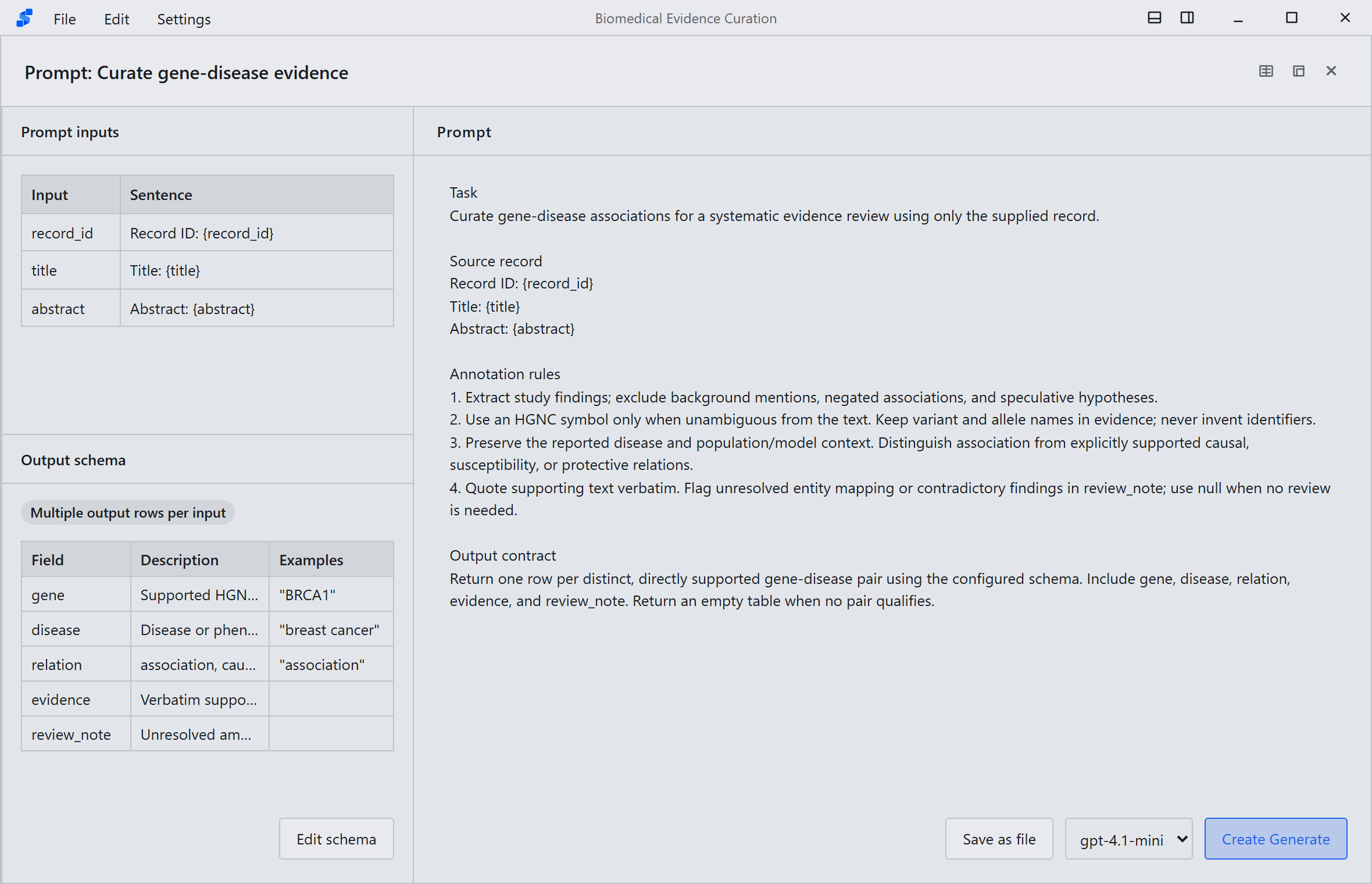
AnnoBio Prompt window defining instructions, input placeholders, and a structured output schema
Structured annotation protocol Define reusable instructions, input mappings, output fields, and evidence requirements.
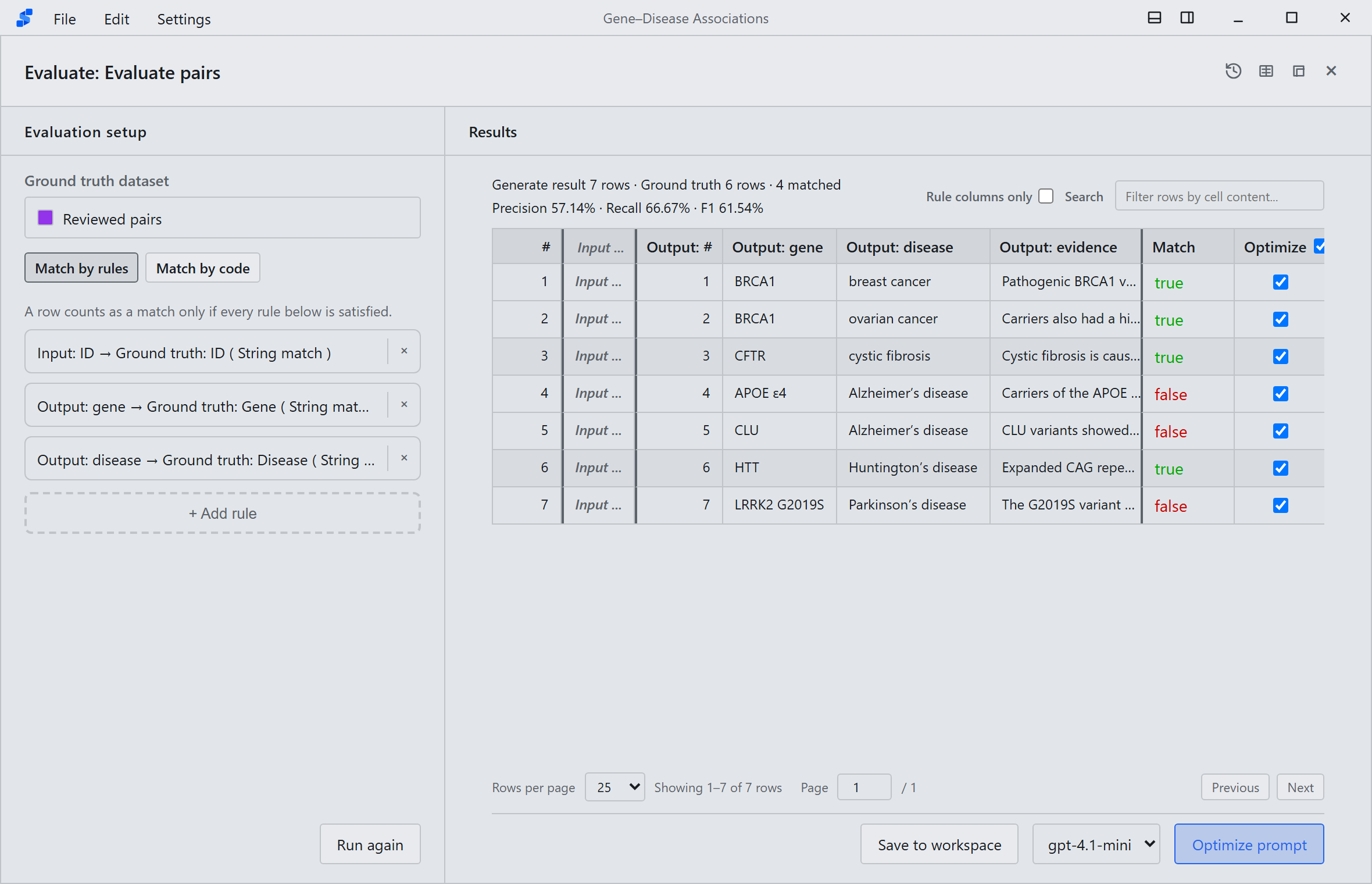
AnnoBio Evaluate window comparing extracted gene and disease associations with curated reference annotations
Transparent evaluation Compare structured outputs with curated references and inspect every mismatch.
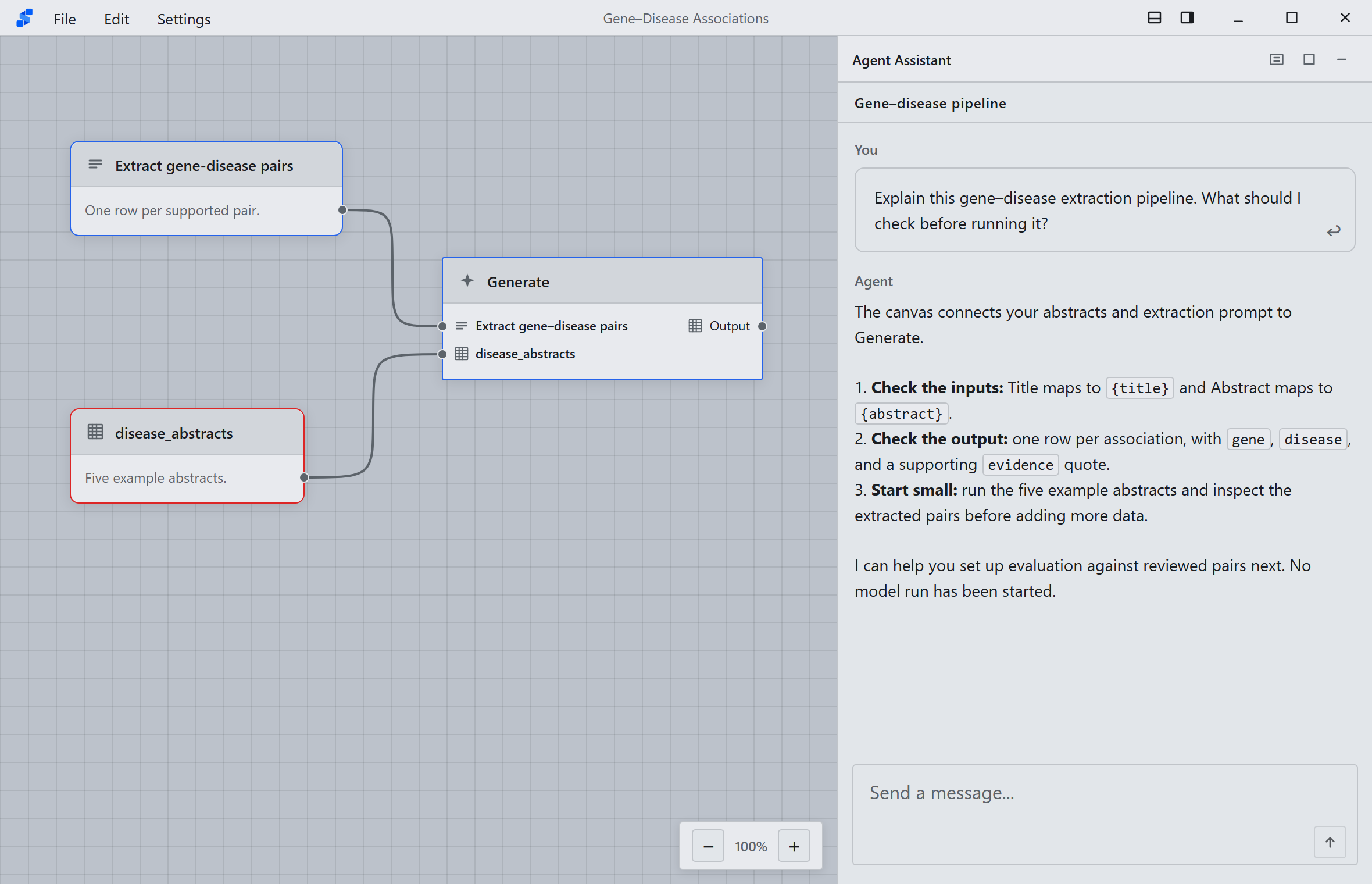
AnnoBio Agent Assistant explaining an extraction pipeline, input mappings, and checks before execution
Natural language collaboration Ask the Agent to build, explain, and revise the workflow while you retain control.
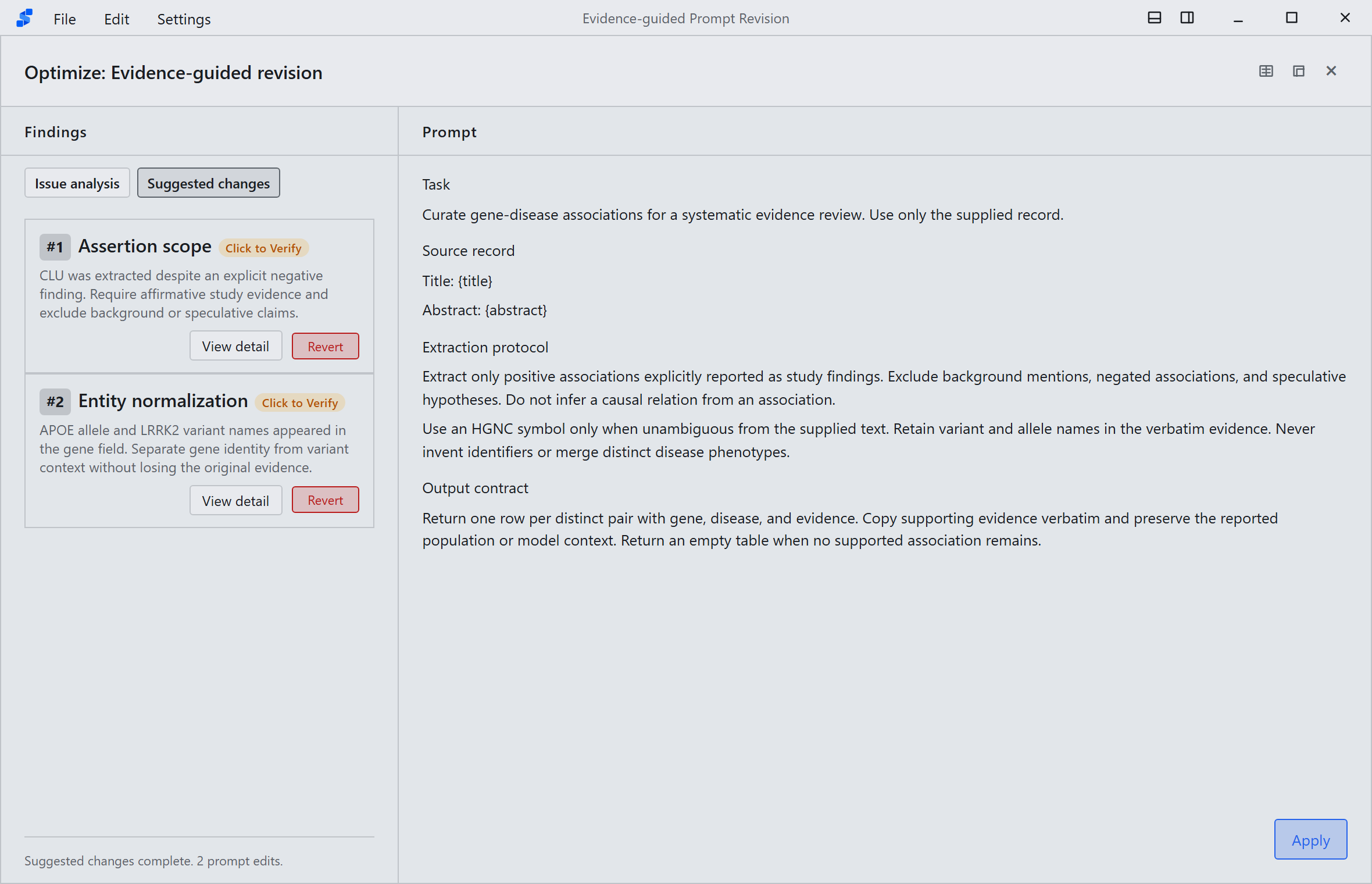
AnnoBio Prompt optimization window showing a targeted revision derived from evaluation failures
Prompt optimization Diagnose failures, review targeted changes, and preserve each Prompt version.

From biomedical data to workflows you can inspect and improve.

Find relevant data, build and run pipelines, and compare results. Keep sources and prompt versions connected as you refine your workflow.

01 / DATA

Find relevant data

Search and import records from PubMed, ClinicalTrials.gov, ChEMBL, UniProt, and other biomedical sources. Keep source identifiers and metadata with your data.

02 / WORKFLOWS

Build visual workflows

Connect data, prompts, and processing steps on the canvas. Branch and merge pipelines, inspect run history, and export runnable Python projects.

03 / EVALUATION

Evaluate and improve

Compare outputs with reference data and inspect mismatches. Optimize prompts using evaluation results, review proposed changes, and track every version.

04 / AGENT

Work with the Agent

Describe your task and let the Agent help find data, build pipelines, and explain results. Review and approve proposed workflow changes before applying them.

AnnoBio for web and desktop.

Start in the online workspace with no installation, or use the desktop app for local project files, attachments, and folder access.